
Digital Literacy – 5th Grade
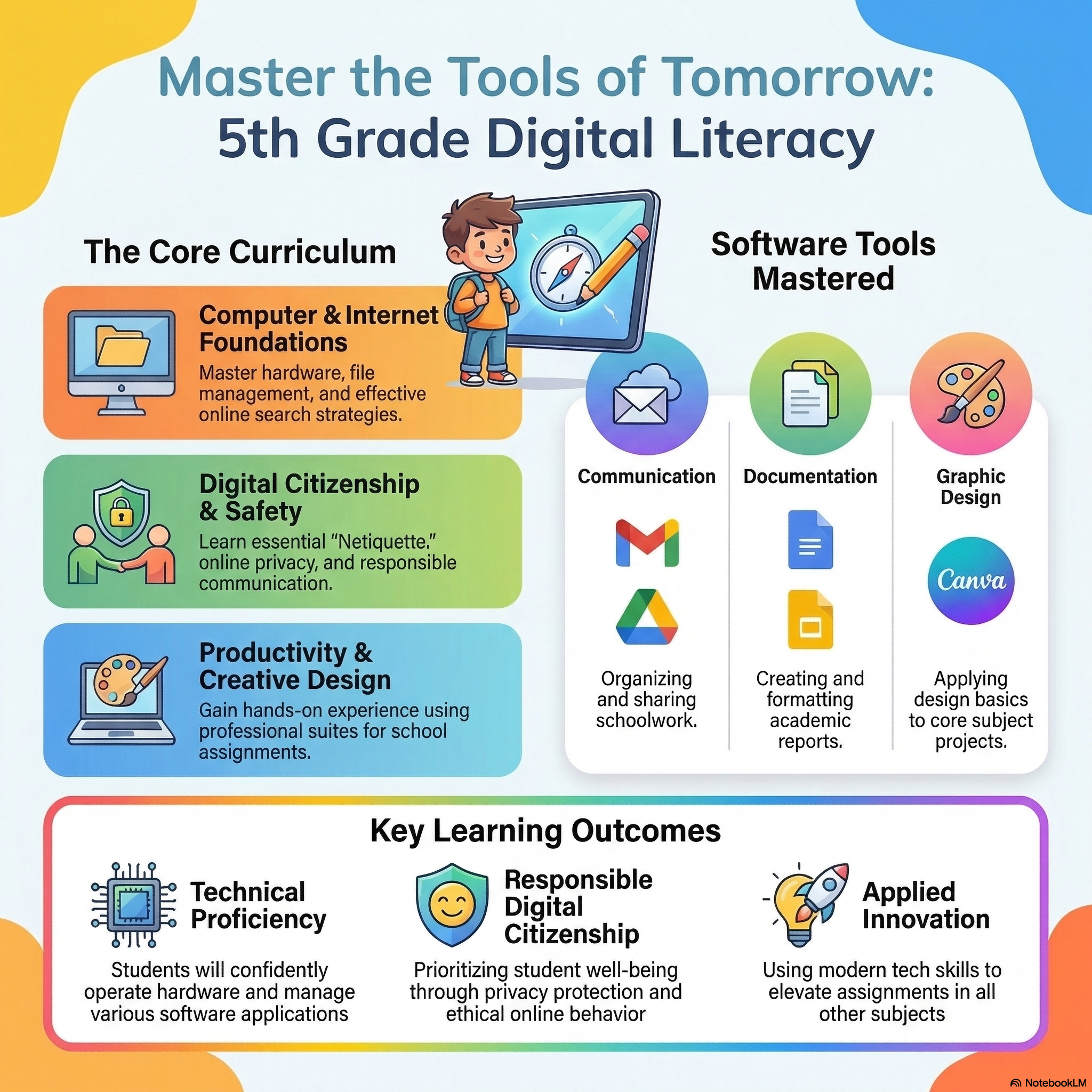
This course was created to help our students improve their computer skills. Learn the basics of a computer, master hardware and software, and discover how to use essential modern tools like Google Apps and Canva for your future assignments and beyond.
Enroll Now →📋 What's Inside DL-5G
Hardware & Software
Navigation & Safety
Search, Gmail, Docs
Canva & Assignments
Course Overview
Our 5th Grade Digital Literacy course empowers students to become confident and responsible digital citizens, applying tech skills to other subjects.
🎙️ Listen to Course Preview
Develop digital literacy skills and apply them in all assignments.
Curriculum Breakdown 🧩
Introduction
- Welcome to Digital Literacy
- Course Expectations & Navigation
- The Importance of Tech Skills
Unit 1: Basics of Computers
- Understanding Hardware Components
- Operating Systems & Software
- Keyboarding & Mouse Skills
- File Management Essentials
Unit 2: The Internet
- How the Web Works
- Effective Search Strategies
- Digital Citizenship & Netiquette
- Online Safety & Privacy
Unit 3: Google Apps
- Navigating Google Workspace
- Communicating with Gmail
- Creating Docs & Slides
- Organizing with Google Drive
Unit 4: How to Improve my Assignment
- Introduction to Canva
- Formatting & Design Basics
- Applying Skills to Core Subjects
- Final Digital Project
Key Learning Outcomes
Students will confidently operate hardware and manage software applications.
Understanding of online privacy, safe browsing, and responsible communication.
Ability to use Docs, Slides, and Canva to elevate assignments in all other subjects.
Common Questions ❓
Why is Digital Literacy essential for 5th graders?
In modern education, digital literacy is as fundamental as reading and writing. This course equips students with the essential skills to navigate modern technology, complete online assignments efficiently, and interact safely on the web. You can see how this fits into our broader 5th Grade Online program.
What specific software will my child master?
Students will get hands-on experience with the complete Google Workspace (Docs, Slides, Drive, Gmail) as well as introductory design principles using Canva. This prepares them for the diverse tools found in our Elementary Course Catalog.
Do I need to purchase any secondary software?
No! All tools taught in this course (like Google Apps and Canva) have robust, free versions that are perfectly suited for educational use. We pride ourselves on providing high-quality education without hidden costs. Check our Tuition Plans for more details.
Does this course include digital safety and ethics?
Absolutely. We prioritize "Netiquette" and digital citizenship, teaching students how to protect their privacy and respect others online. Safety is a core pillar of our mission at High School of America—learn more About Us and our commitment to student well-being.
How do I get started with the Digital Literacy course?
Starting is easy! Once enrolled, your child will have immediate access to the Introduction module to begin their tech journey. If you're ready to empower your child's digital future, you can Enroll Today and join our community of learners.
Empower Your Child's Digital Future
Join our 5th Grade Digital Literacy curriculum and master the tools of tomorrow.
ENROLL TODAY »